Skip to content

Classrooms

Connect your child to their classroom

A slip came home in the book bag. Here's what it opens.
About 2 min 3 steps PhoneDesktop
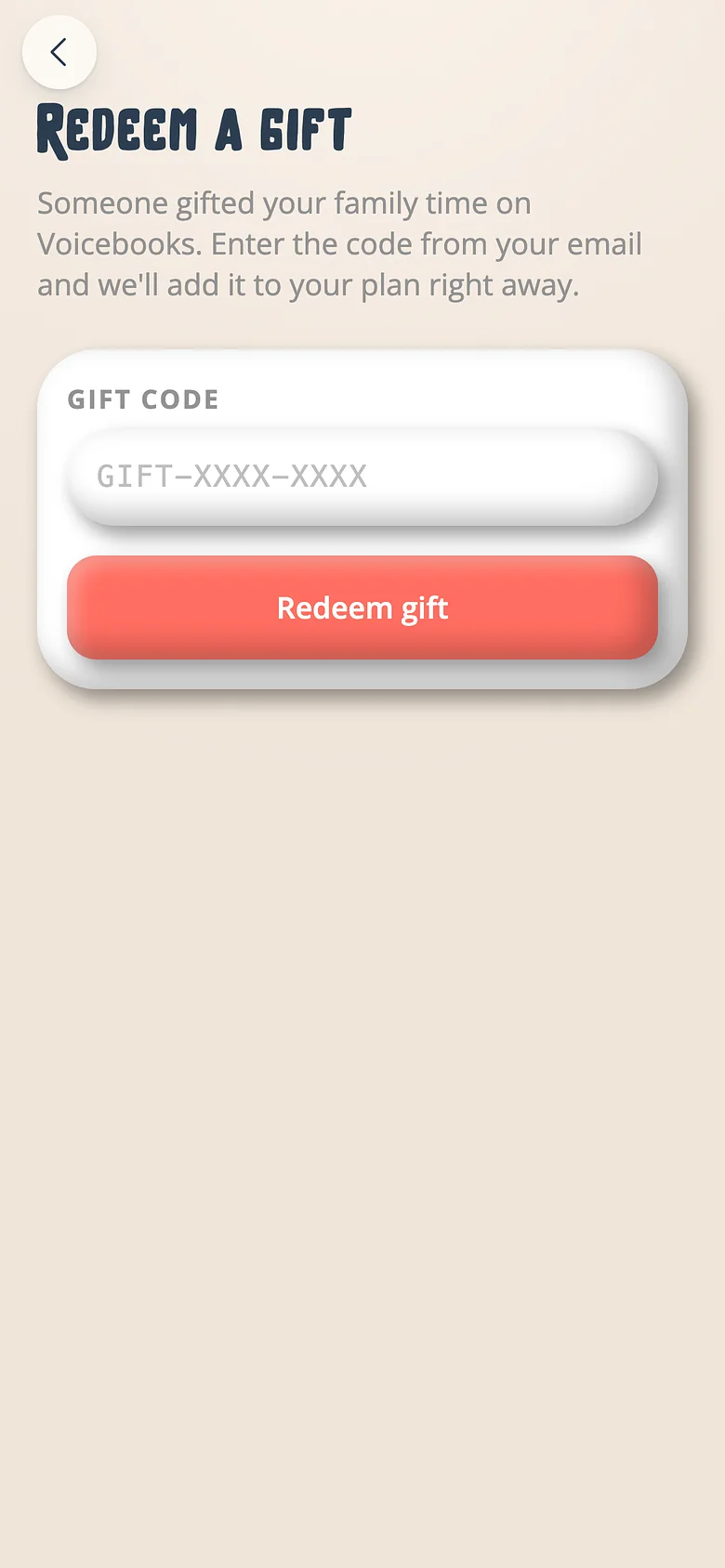
The Voicebooks screen for redeeming a gift, stay or classroom code
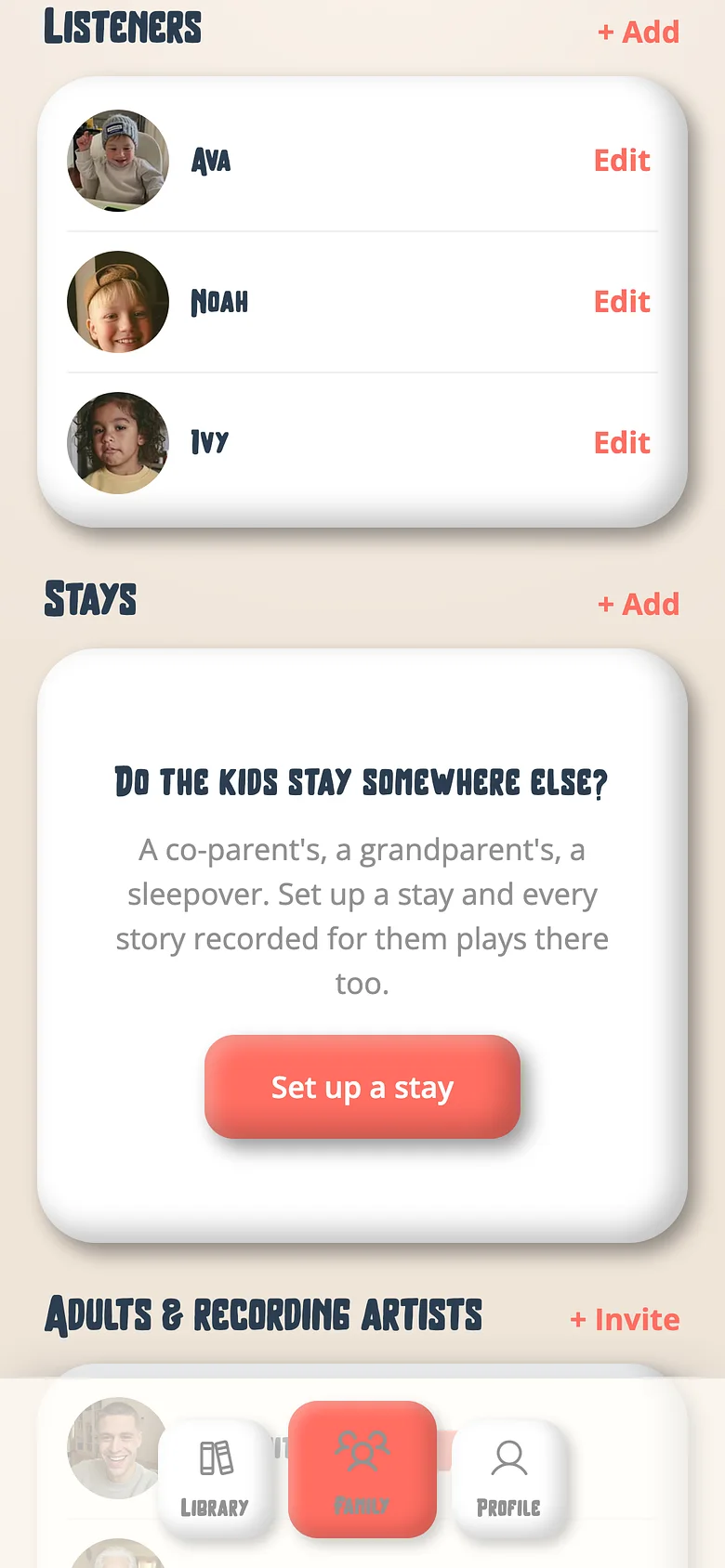
The Voicebooks Family tab listing the children who listen
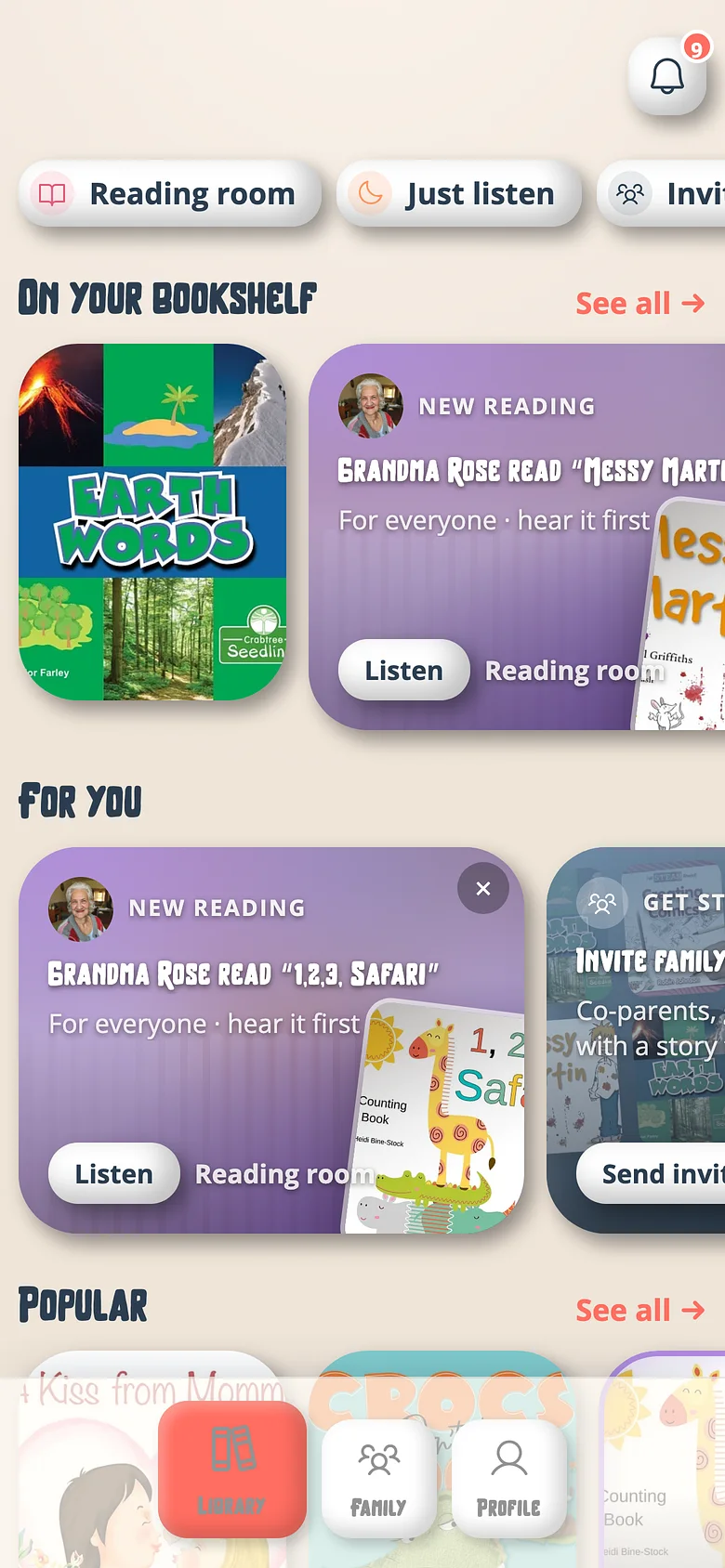
The Voicebooks Library screen showing a family's recorded books and the people who read them
  1. Scan it, or type the code

    The QR goes to joinvoicebooks.com/CLASS-XXXX-XXXX. If you don't have a family yet, make one — free.
    The Voicebooks screen for redeeming a gift, stay or classroom code
  2. Match the seat to your child

    The slip names a seat; link it to your child's profile.
    The Voicebooks Family tab listing the children who listen
  3. Hear the teacher

    Everything recorded for the class is on your child's shelf at home, in the teacher's voice, beside your own three free books.
    The Voicebooks Library screen showing a family's recorded books and the people who read them

Try it with a real book

Free to start. The first page takes a minute.
Two Voicebooks mascots — a grown-up and a child — side by side, smiling